PHI Under Attack
Do you know what to do?
A scenario based elearning experience designed to help healthcare professionals make appropriate decisions to protect individually identifiable health information and potential data security threats.

Audience
Healthcare professionals or anyone wanting to learn about protecting individually identifiable health information and potential data security threats.
Tools
Articulate Storyline 360, MindMeister, Figma, ChatGPT, Animaker, FreePik, Microsoft Word
Responsibilities
Instructional design, Action mapping, Storyboarding, Visual design, eLearning development, Authoring
The Problem
The SecureHealth insurance company is a conceptual company devoted to protecting their members’ privacy at the heart of everything they do. However, recent audits and incident reports show that some employees are improperly handling Protected Health Information (PHI) such as leaving sensitive documents visible, discussing member details in public areas, or falling victim to phishing emails. These small mistakes can have serious consequences such as data breaches, HIPAA violations, costly fines, and most importantly, a loss of trust from the members who rely on SecureHealth to safeguard their personal information.
The Solution
After identifying the problem, I drew upon my experience working for a health insurance company where I worked with PHI and security protocols every day. I interviewed my co-workers and analyzed their behaviors to identify if the problem is caused by a lack of skill or a lack of knowledge. I determined that the problem was caused by a lack of both. There was a lack of knowledge of the risks of exposing a member’s protected health information and what to do to protect this sensitive information throughout their workday. To address this, I proposed a scenario based learning experience where healthcare professionals can practice identifying potential data security threats and best practices in handling PHI while in a risk free environment.
My Process
I used the ADDIE model of instructional design to plan and create an effective learning experience. The ADDIE model consists of four phases, Analysis, Design, Development, Implementation, and Evaluation that led me through this process. This process started with analyzing the problem, designing an action map in Mindmeister, and then creating a storyboard in Microsoft Word.
Once that was all approved, I started designing the visual mockups in Figma which really made the project start to come to life. After that, it was on to developing an interactive prototype in Articulate Storyline 360. From the feedback received on the prototype, I made iterations and then developed the full project.
I was then finally able to implement the elearning project with learners and evaluate their learning experience. The continual feedback and evaluation from my learners was key to the success of this project. It helped me to improve upon the learner experience as well as the ease of navigation and effectiveness of this project in attaining its goal.
Action Map
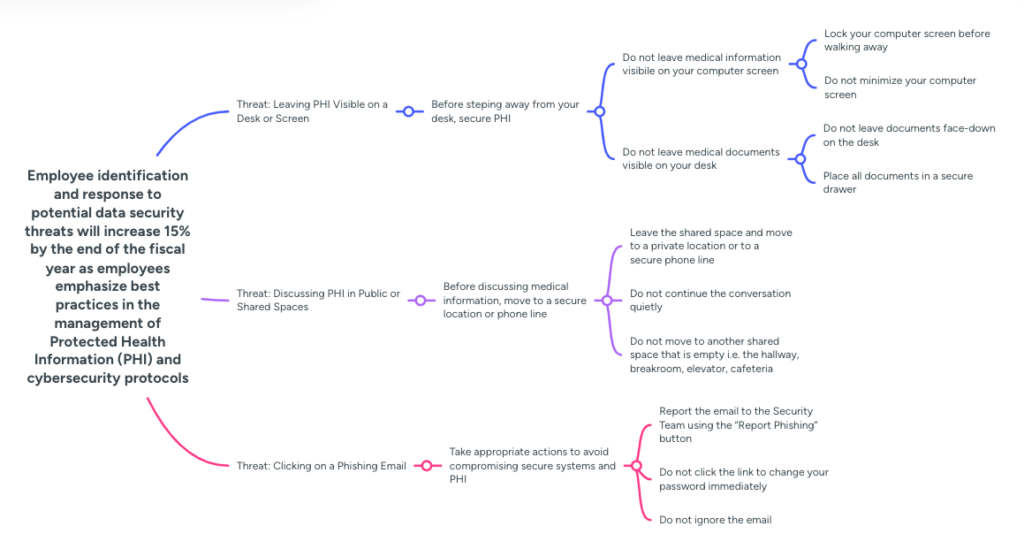
I acted as the subject matter expert (SME) for this project. I began by identifying the overall goal of increasing employee identification and response to potential data security threats which can be seen at the front of the action map. I then identified the decisions and actions the learners would need to make in a real life situation. The process of creating an action map ensured that all of the actions in the learning experience relate to the overall goal of the project.
Text Based Storyboard
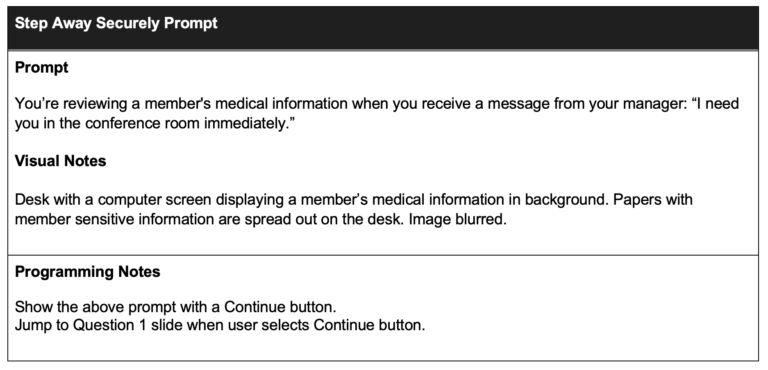
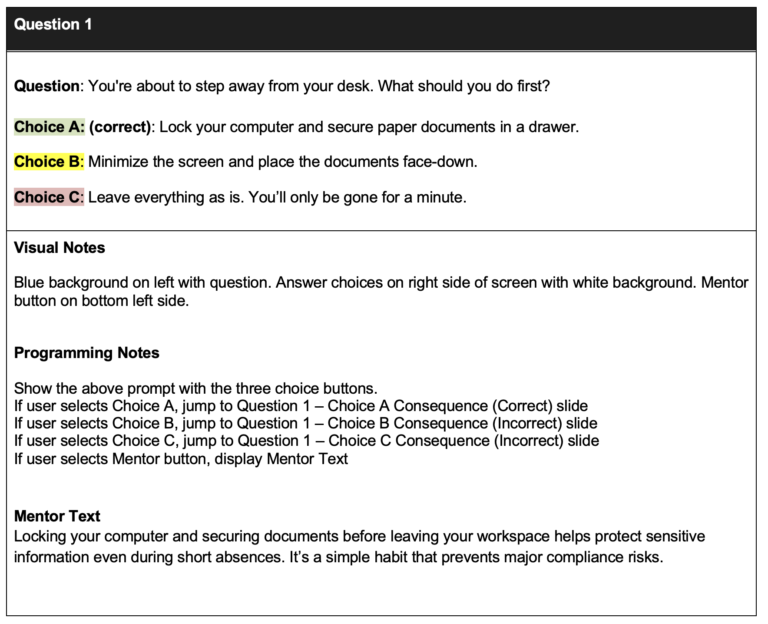
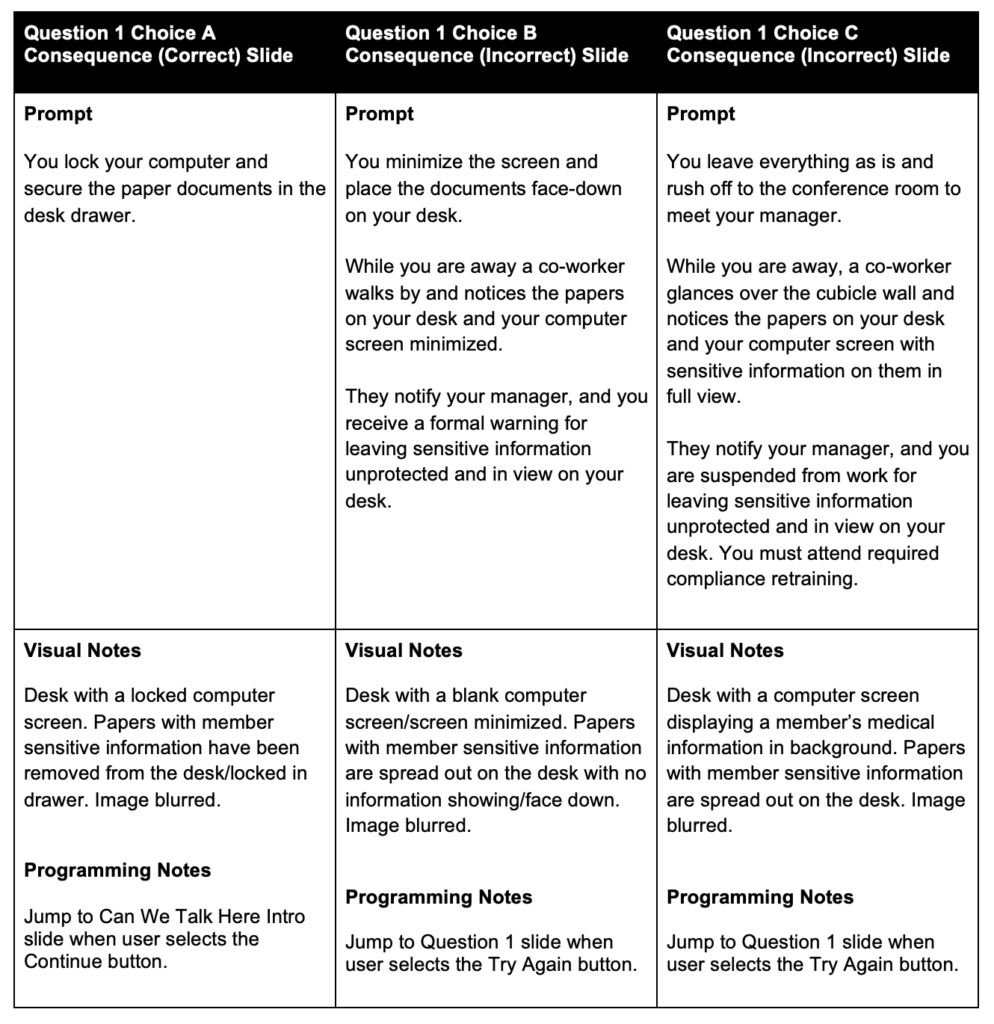
I created a text based storyboard for the project. The objective was for the learner to be drawn into the experience through storytelling. The story involves one main character who is faced with choices about what they should do in each scenario presented.
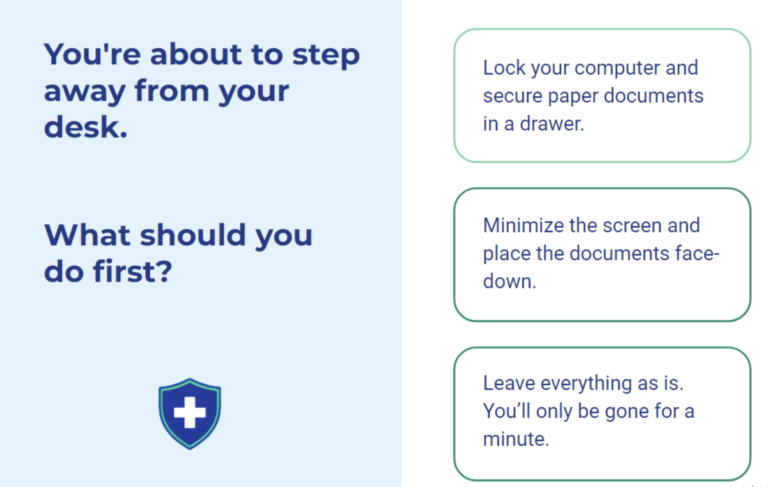
Every decision has a consequence. Correct choices show a positive consequence and incorrect choices show a negative consequence with varying severity. When a correct choice is selected, the learner progresses to the next part of the story. When an incorrect choice is selected, the learner is lead back to the original question with a “try again” button. The learner also has the option to seek guidance in their decision making from a mentor character who can lead them to making wise choices.
Visual Mockups
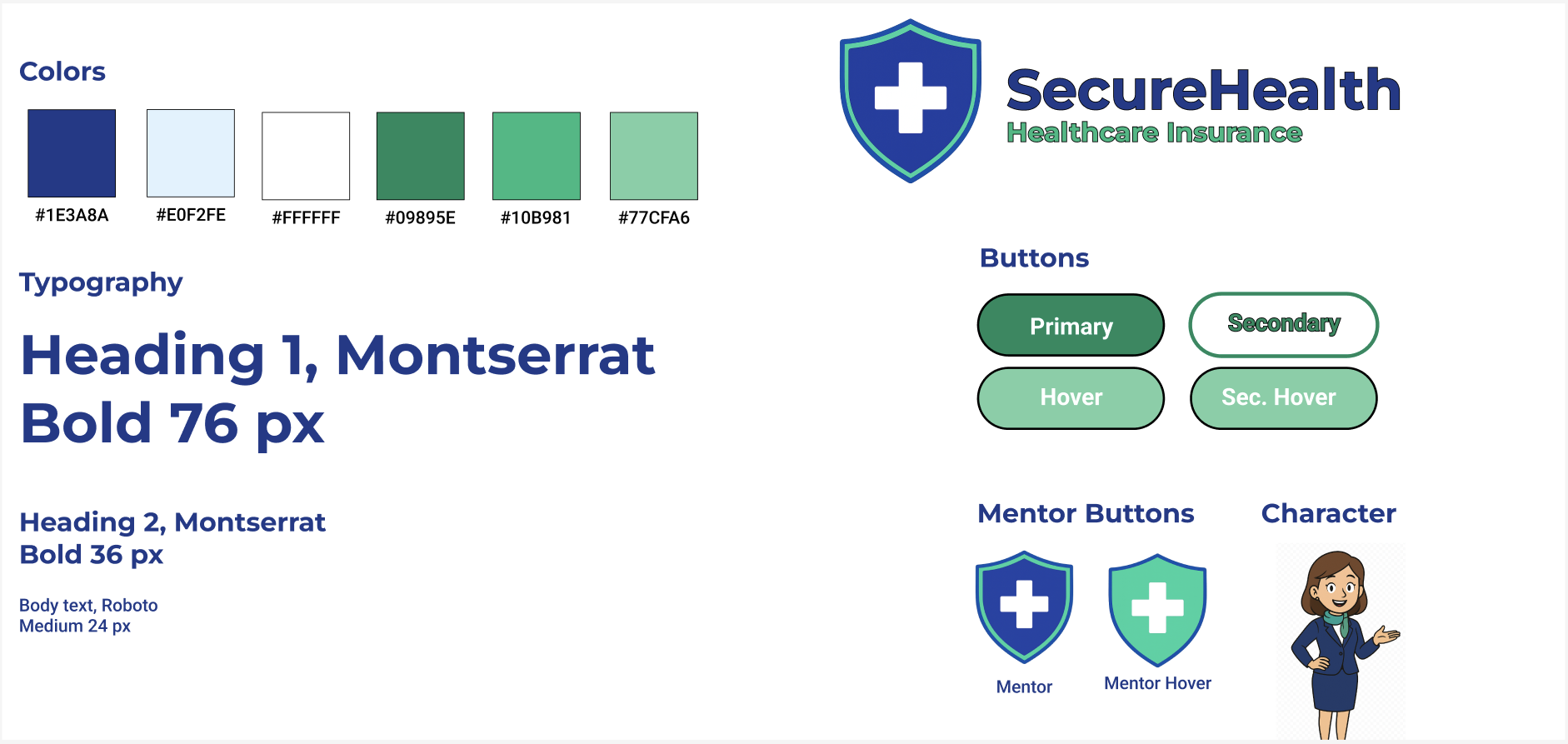
Once the storyboard was completed and agreed upon, I started creating the visual mockups using Figma since it was easier to iterate design elements than in Articulate Storyline. I started with creating a Style Guide of the color scheme and fonts that would be used to ensure all design elements were consistent throughout the project. I chose a color scheme and font style that shows trust and professionalism. I wanted to emphasize to the learner the seriousness of compliance and data protection. Since this is a conceptual company, I also created a company logo to give the learner a more authentic learning experience.
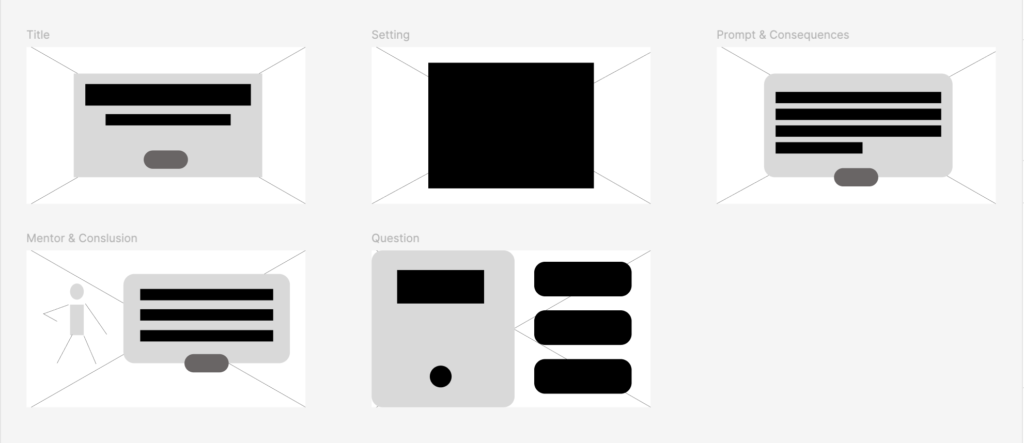
Then, I created wireframes to set the layout for each type of slide that would be used in the project and used these as the inspiration for the high-fidelity mockups. I started designing the scenes and characters in Animaker and ChatGPT following the style guide. While looking for the illustrations for the mockups, I could not find an image of a desk with a computer on it showing what was on the screen. I used ChatGPT to create a custom image of a computer on a desk and to show the consequences on the screen. After gathering feedback from my peers, I was able to iterate and improve upon the design and layout of the slides.
Interactive Prototype
Before developing the full project, I used Articulate Storyline 360, Animaker, and ChatGPT to develop an interactive prototype to collect feedback on the functionality of the project. The interactive prototype walks the learners through the first scene of the project. Learners encounter questions, consequences, and interact with a mentor for guidance.
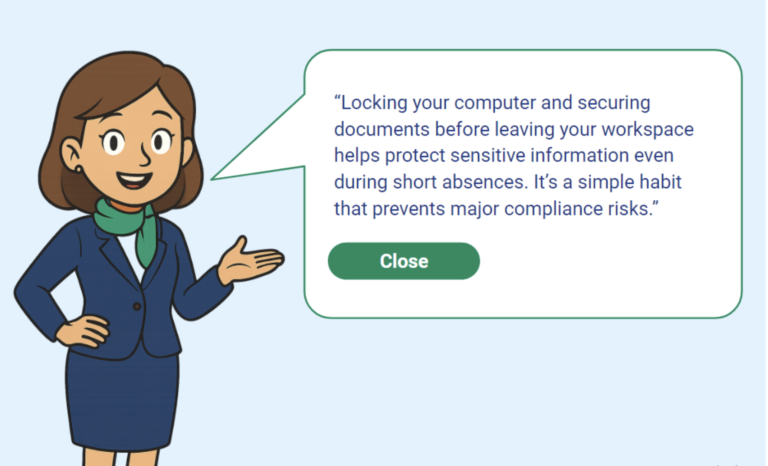
In my design I ensured the mentor button was easily accessible for assistance when needed and introduced the learner to the mentor early on. I also included sound throughout in the prototype but after receiving feedback, I limited the sound to certain slides to enhance the learning experience and not overwhelm the learner.
I added simple “fade in” animations to prompts and characters. I included some fade to black transitions between scenes to indicate a passage of time. I also experimented with the custom button hover states.
After gathering feedback from my peers, I was able to iterate and improve upon the layout, interactions, and sound.
Mentor Screen
Question Screen
Full Development
After collecting and applying feedback from the prototype, I developed the final product using Articulate Storyline 360. The full development of this project was very rewarding and my skills in Storyline 360 were put to the challenge. I excelled in completing the build of the prototype to full development. I built the rest of the slides while continuing to use states, layers, triggers, and animation.
My favorite features are the consistent visual design throughout the project. Even when I couldn’t find the images I needed, I was confident enough in my AI skills to draw upon those resources to create custom images. I also liked the sound effects and animations included on some of the slides.
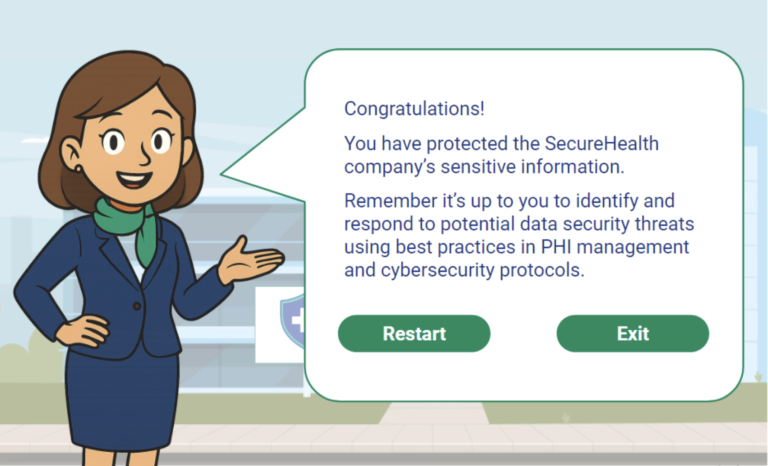
Conclusion Screen
Results & Takeaways
This project was well received with feedback emphasizing my attention to detail, the sound effects, music, and animations.
After completing this project, I have a deeper understanding of the instructional design process and the ADDIE model. I learned to analyze a situation to find the root problem and I learned how to design, develop, and refine a learning experience that was scenario-based to address real-life performance problems. I discovered how essential action mapping is to ensure the project stayed aligned to the goal of solving the performance problems.
I thoroughly enjoyed creating this learning experience and look forward to continuing to create engaging and effective learning experiences.
Let's Connect
I’m excited to connect with you to design engaging and effective learning experiences.