
Do you know what to do?
This scenario-based eLearning experience is designed to help healthcare professionals make appropriate decisions to protect individually identifiable health information and respond to potential data security threats.
Healthcare professionals or anyone wanting to learn about protecting individually identifiable health information and potential data security threats.
Articulate Storyline 360, MindMeister, Figma, ChatGPT, Animaker, FreePik, Microsoft Word
Instructional design, action mapping, storyboarding, visual design, eLearning development, authoring
SecureHealth Insurance, a conceptual company devoted to protecting members' privacy at the heart of everything it does, began seeing recent audits and incident reports showing employees improperly handling Protected Health Information (PHI). Sensitive documents were left visible on desks, member details discussed in public areas, and employees falling victim to phishing emails.
These small mistakes can have serious consequences, data breaches, HIPAA violations, costly fines, and most importantly, a loss of trust from the members who rely on SecureHealth to safeguard their personal information.
Drawing on firsthand experience working with PHI and security protocols at a health insurance company, I interviewed co-workers and analyzed their behaviors to determine whether the problem stemmed from a lack of skill or a lack of knowledge, and found it was both. Employees lacked awareness of the risks of exposing a member's protected health information, and lacked clear guidance on how to protect that information throughout their workday.
To address this, I proposed a scenario-based learning experience where healthcare professionals could practice identifying potential data security threats and best practices for handling PHI, in a risk-free environment.
I used the ADDIE model, Analysis, Design, Development, Implementation, and Evaluation, to plan and create this learning experience. I began by analyzing the problem, then designed an action map in MindMeister and a storyboard in Microsoft Word. Once those were approved, I moved into visual mockups in Figma, an interactive prototype in Articulate Storyline 360, and full development, iterating at each stage based on feedback. I then implemented the eLearning project with learners and evaluated their experience, using their continual feedback to improve the navigation and effectiveness of the project.
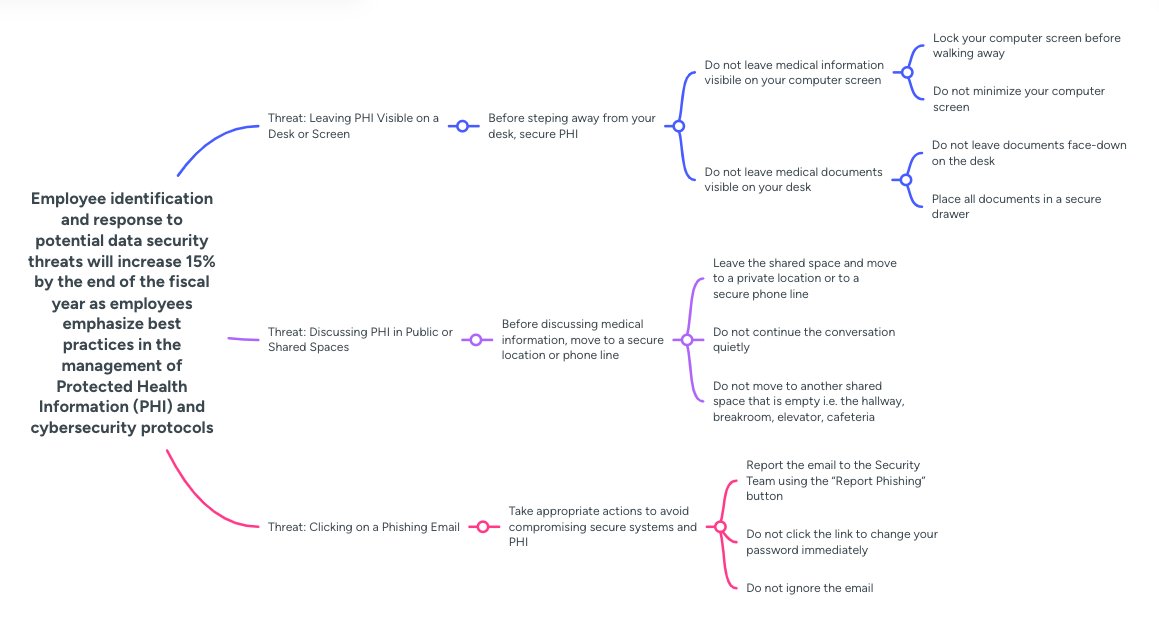
I acted as the subject matter expert (SME) for this project. I began by identifying the overall goal, increasing employee identification of and response to potential data security threats, which sits at the front of the action map. I then identified the decisions and actions learners would need to make in real-life situations. Building the action map ensured every part of the learning experience tied back to that overall goal.
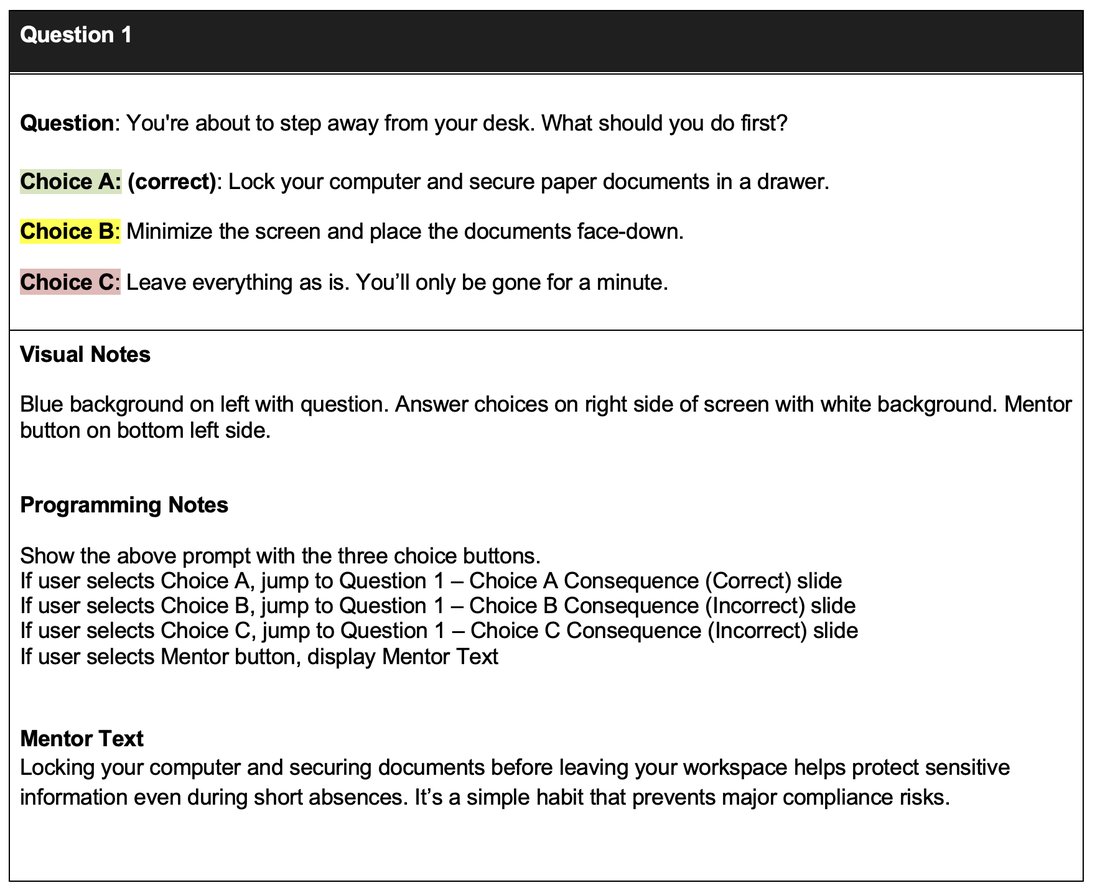
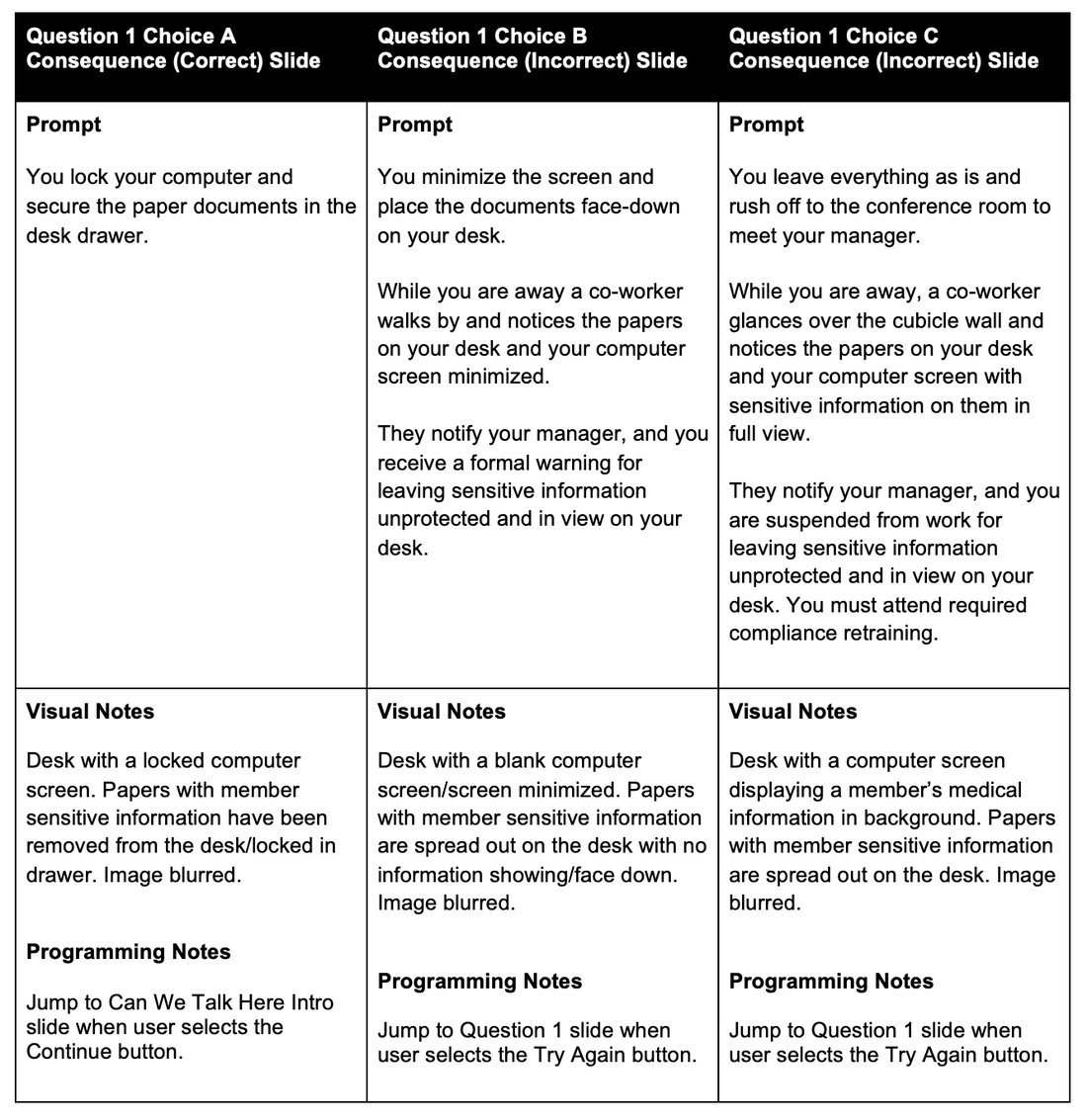
I created a text-based storyboard designed to draw the learner into the experience through storytelling. The story follows one main character who is faced with choices about what to do in each scenario presented. Every decision has a consequence, correct choices lead to a positive consequence and progression in the story, while incorrect choices lead to a negative consequence and a "try again" prompt. The learner can also seek guidance from a mentor character who helps steer them toward wiser choices.
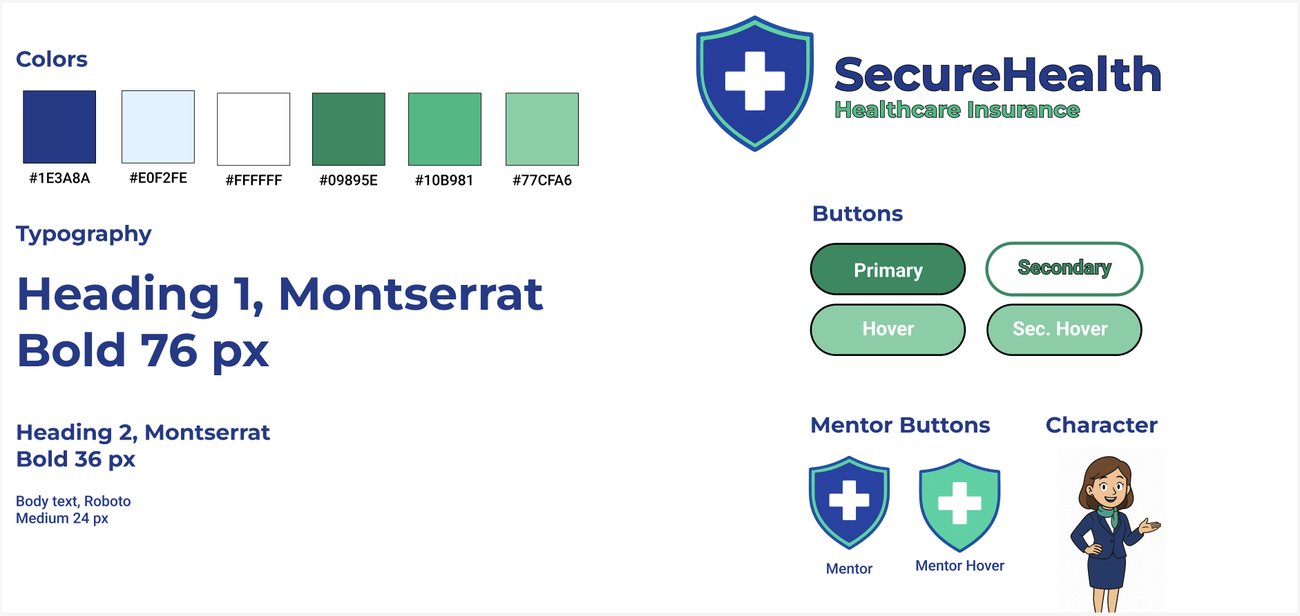
Once the storyboard was approved, I moved into visual mockups in Figma, since it was easier to iterate on design elements there than in Articulate Storyline. I started with a style guide, colors and fonts chosen to convey trust and professionalism, and to emphasize the seriousness of compliance and data protection to the learner. Since SecureHealth is a conceptual company, I also designed a company logo to make the learning experience feel more authentic.
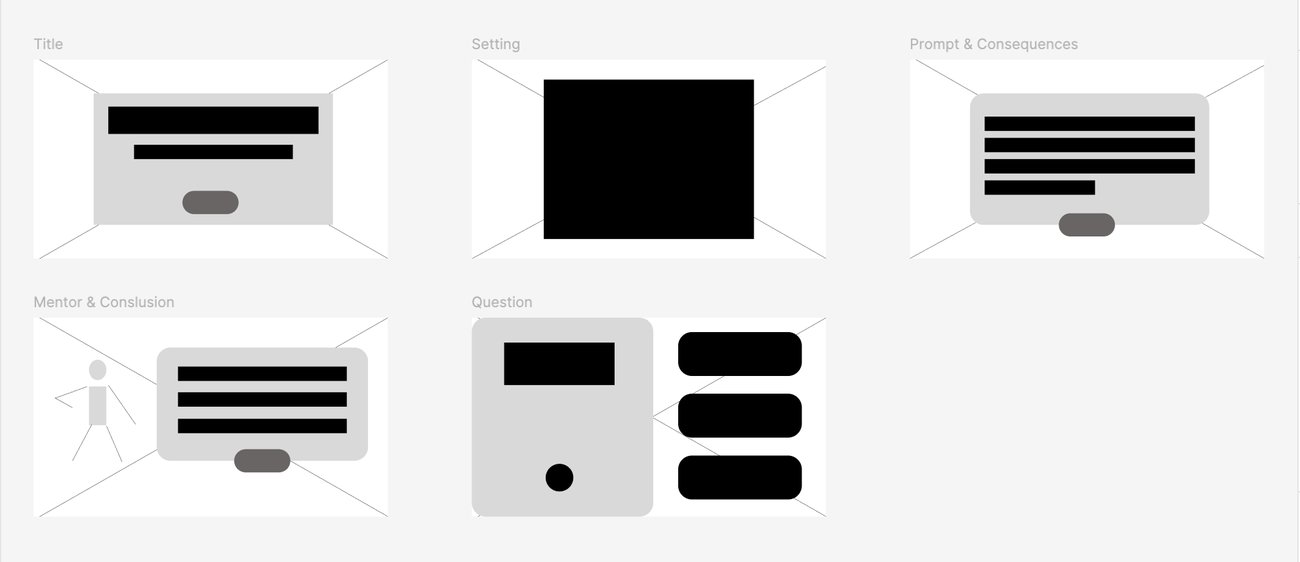
From there, I built wireframes to set the layout for each slide type, which became the foundation for high-fidelity mockups. I designed scenes and characters in Animaker and ChatGPT following the style guide, and when I couldn't find stock artwork showing a desk computer displaying an on-screen consequence, I used ChatGPT to generate a custom image for it. Peer feedback helped me iterate on the design and layout from there.
Before full development, I built an interactive prototype in Articulate Storyline 360, using Animaker and ChatGPT for supporting assets, to gather feedback on functionality. The prototype walked learners through the first scene, including questions, consequences, and an interaction with the mentor character. I made sure the mentor button was easy to find and introduced early on. I also added sound throughout, then scaled it back to specific slides after feedback so it enhanced the experience rather than overwhelming it, along with subtle fade-in animations for prompts and characters, fade-to-black scene transitions, and custom button hover states. Peer feedback here shaped further iterations on layout, interactions, and sound.
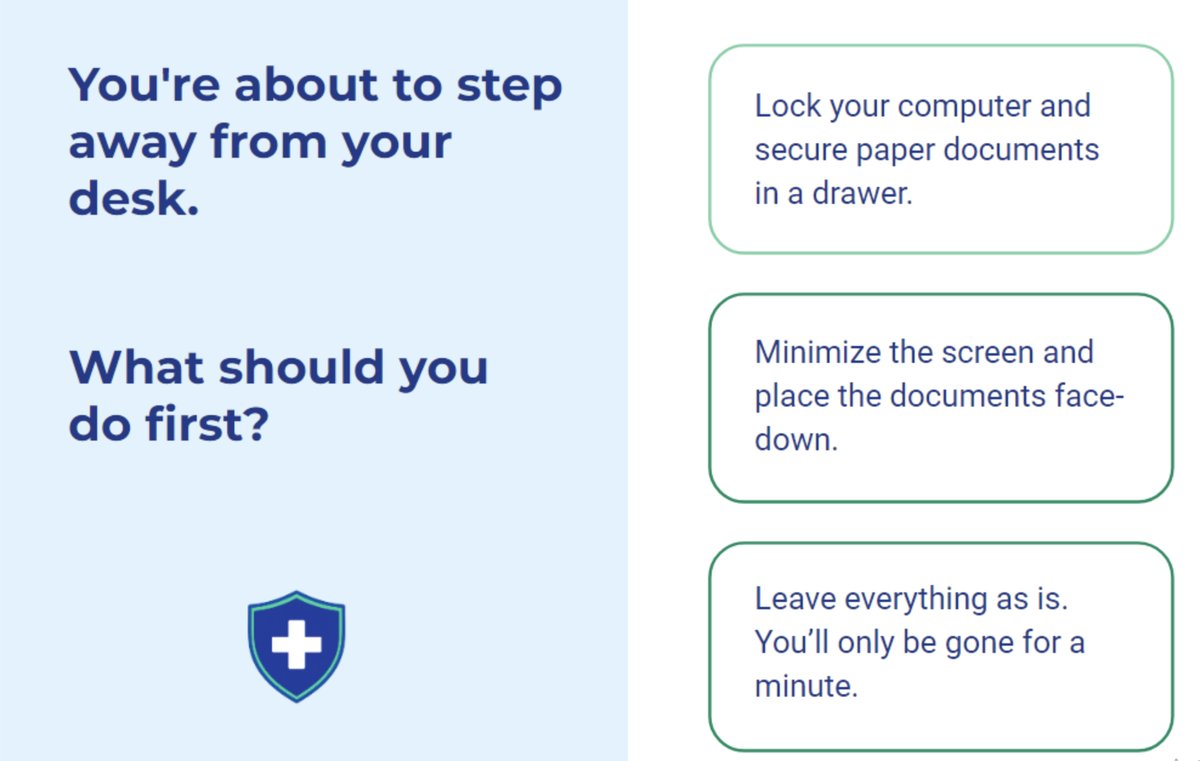
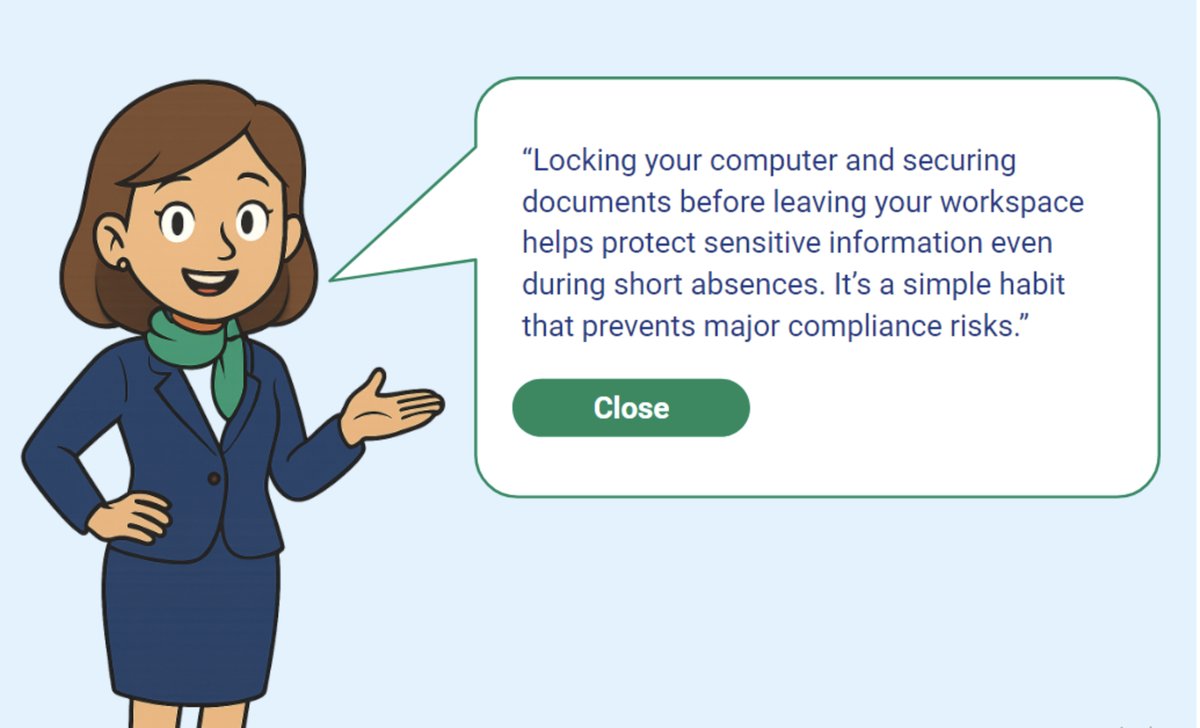
After applying feedback from the prototype, I developed the final product in Articulate Storyline 360, building out the remaining slides using states, layers, triggers, and animation. My favorite parts of the finished build are the consistent visual design throughout, the custom AI-generated imagery I created to fill gaps where stock assets fell short, and the sound effects and animation woven into key slides.
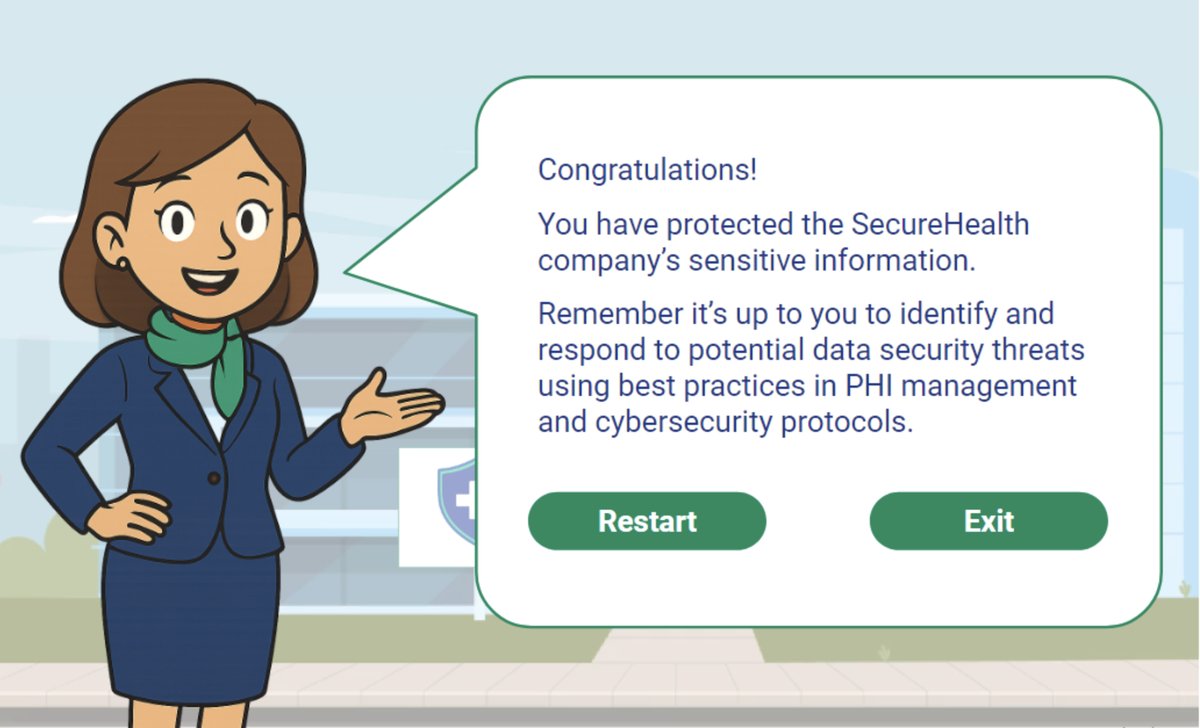
This project was well received, with feedback specifically calling out the attention to detail, sound effects, music, and animation woven throughout the experience.
Completing this project deepened my understanding of the instructional design process and the ADDIE model. I learned to analyze a situation to find its root problem, and how to design, develop, and refine a scenario-based learning experience that addresses a real performance problem. I also saw firsthand how essential action mapping is to keeping a project aligned with the goal of actually solving that problem.
I thoroughly enjoyed creating this learning experience, and look forward to continuing to create engaging and effective learning experiences.
Explore the full scenario-based experience and see how it guides learners through real decision points.
Experience the Project